🧠 What Really Happens Inside a Browser When You Press Enter?
You type a URL, press Enter, and a website appears.
But what actually happens inside the browser?
Let’s open the browser’s brain 🧩 — gently, without scary specs.
🌐 What a Browser Actually Is (Beyond “It Opens Websites”)
A browser is not just a website opener.
Think of it as a translator + builder + painter.
It:
Talks to servers
Understands HTML, CSS, and JavaScript
Builds a page structure
Styles it
Paints pixels on your screen
All of this happens in milliseconds.
🧩 Main Parts of a Browser (High Level)
At a very high level, a browser is a collection of components working together:


User Interface (UI) – what you interact with
Browser Engine – coordinates everything
Rendering Engine – turns code into visuals
Networking – fetches files from the internet
JavaScript Engine – runs JavaScript
Data Storage – cache, cookies, localStorage
You don’t need to memorize this — just understand the flow.
🖥️ Browser User Interface (The Visible Part)
This is the part you already know:
Address bar (URL bar)
Tabs
Back / Forward / Refresh buttons
Bookmarks
👉 This layer does not render websites — it only helps you control the browser.
⚙️ Browser Engine vs Rendering Engine (Simple Difference)
This sounds complex, but it’s not:
Browser Engine → Manager
- Tells other components what to do
Rendering Engine → Artist
- Converts HTML + CSS into what you see
📌 Example:
Browser Engine says: “Hey, render this page”
Rendering Engine says: “Got it 🎨”
🌍 Networking: How the Browser Fetches Files
When you press Enter:
Browser sends a request to a server
Server responds with:
HTML
CSS
JavaScript
Images
Think of networking like ordering food from a restaurant 🍕
The browser places the order, the server delivers files.
🧱 HTML Parsing → DOM Creation
HTML is just text.
The browser must understand its structure.


Example HTML
<h1>Hello</h1>
<p>Welcome</p>
The browser:
Reads HTML
Breaks it into elements
Builds a DOM tree
📌 DOM (Document Object Model)
→ A tree structure representing the page content.
👉 DOM is like a family tree of HTML elements 🌳
🎨 CSS Parsing → CSSOM Creation
CSS is also parsed separately.

The browser:
Reads CSS rules
Understands styles
Builds CSSOM
📌 CSSOM
→ A tree that represents styles, not content.
🤝 DOM + CSSOM → Render Tree
Now the magic happens ✨
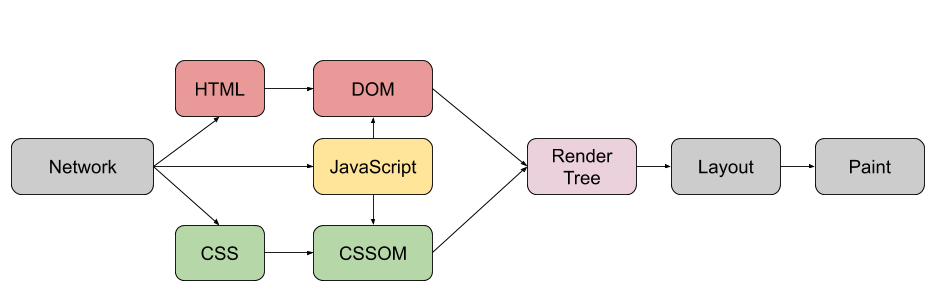
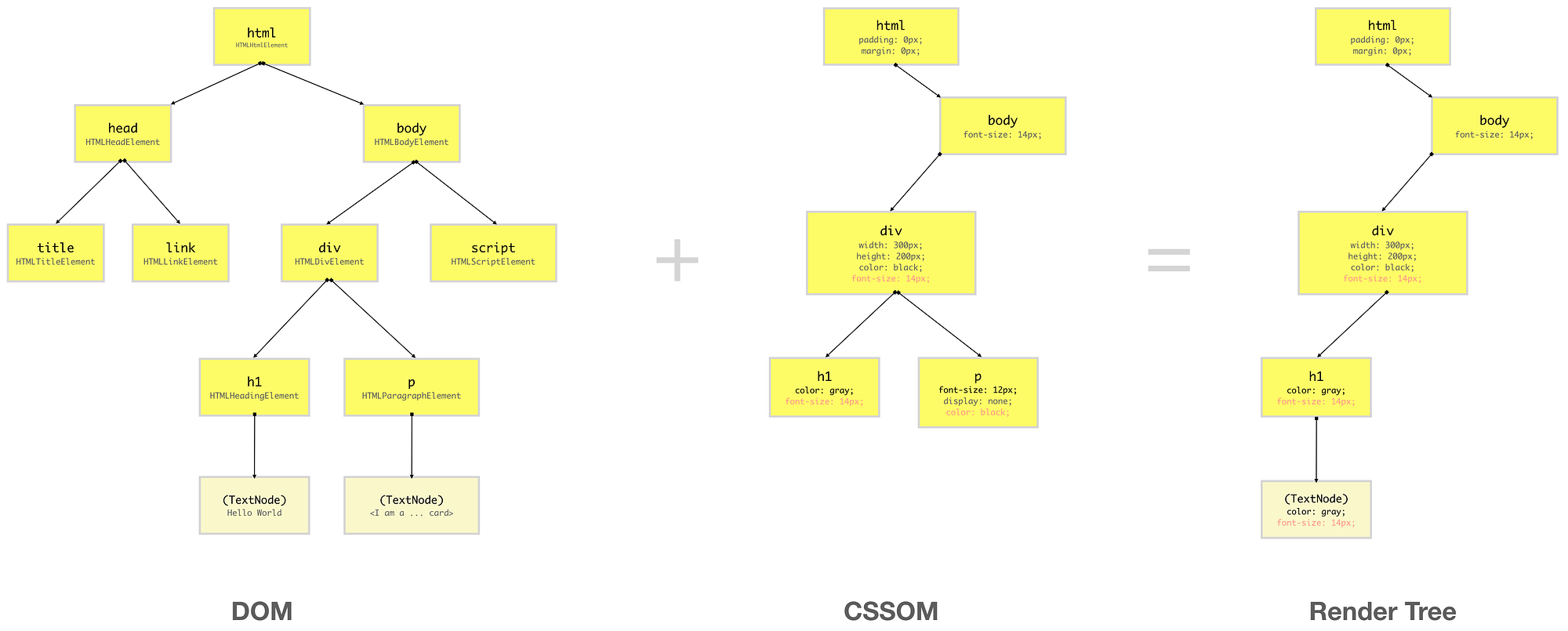
DOM → what elements exist
CSSOM → how they look
Together → Render Tree
❗ Render Tree includes only visible elements
(display: none doesn’t make it here)
📐 Layout (Reflow), 🎨 Paint, 🖥️ Display
Once the Render Tree is ready:
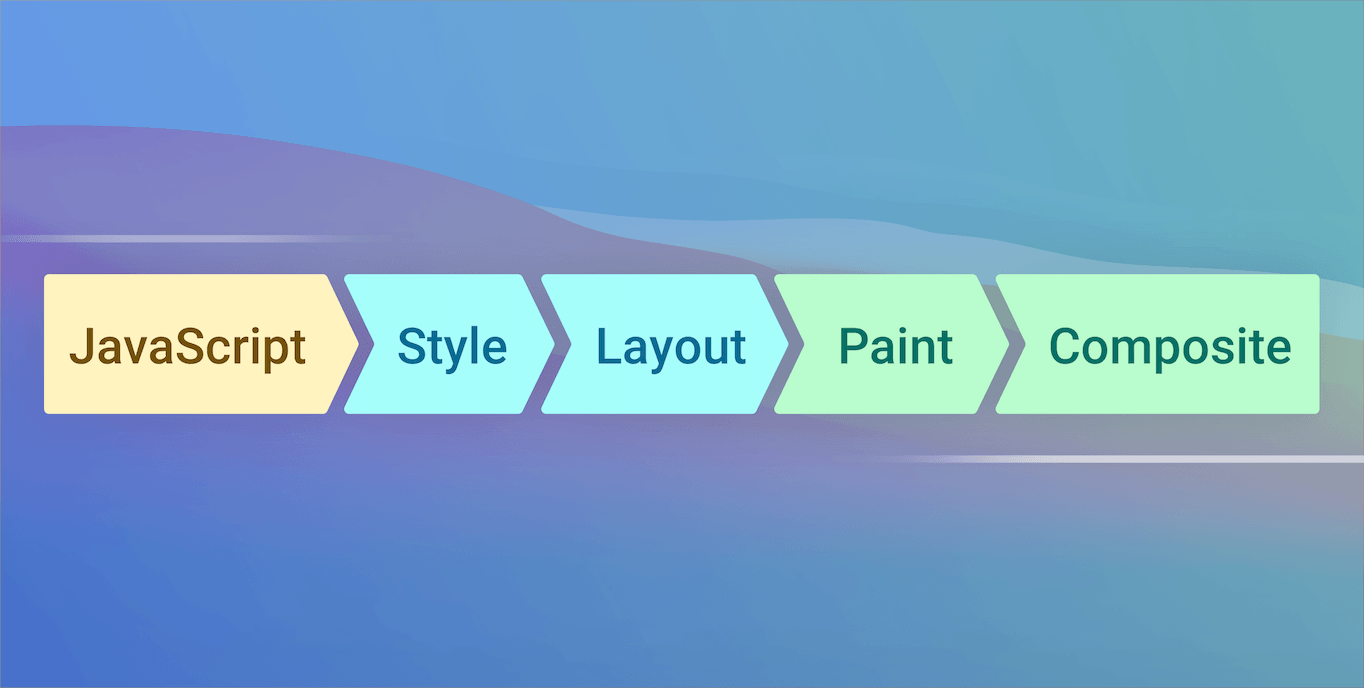
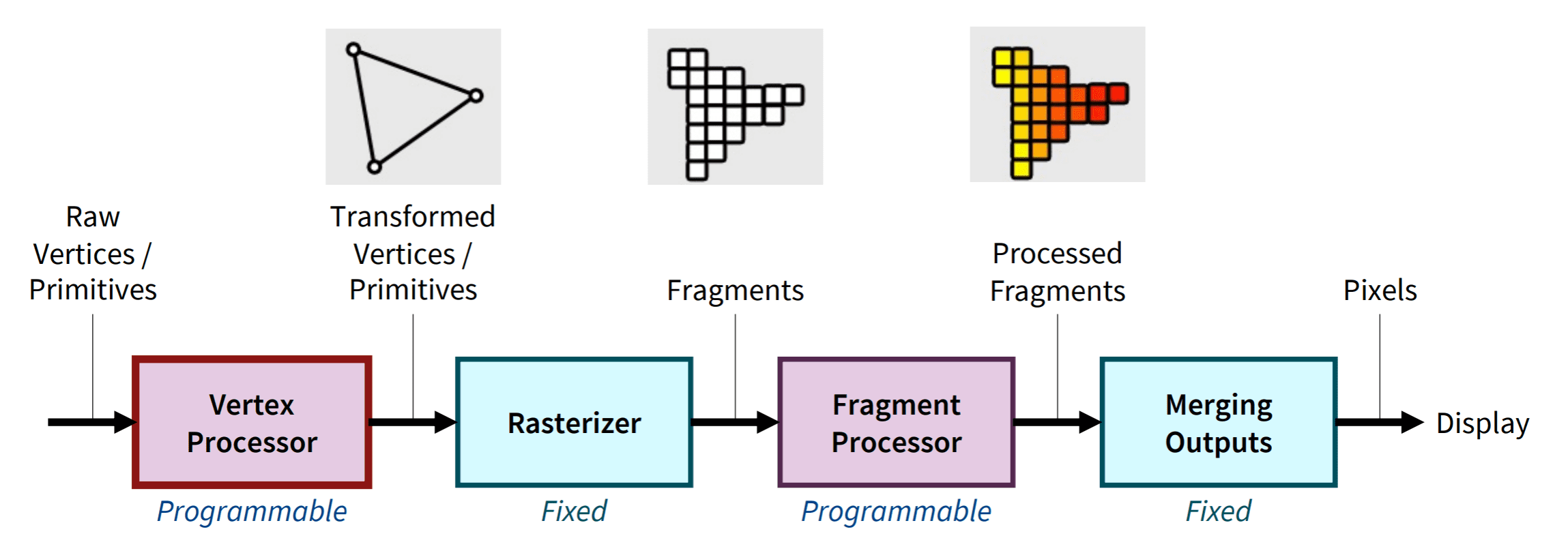
1️⃣ Layout (Reflow)
Calculates size & position
Where each element goes on screen
2️⃣ Paint
Fills colors
Draws text
Applies borders, shadows
3️⃣ Display
Converts everything into pixels
Shows it on your screen 🖥️
This is how code becomes visuals.
🧠 What Is Parsing? (Simple Example)
Parsing just means:
Breaking something into parts to understand it
Example:
2 + 3 × 4
The browser (or parser) turns this into a tree:
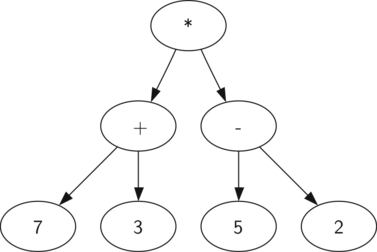

Numbers = values
Operators = relationships
HTML and CSS are parsed the same way — just more complex.
🔁 Full Flow: From URL to Pixels
Here’s the complete story:


Type URL → Press Enter
Networking fetches files
HTML → DOM
CSS → CSSOM
DOM + CSSOM → Render Tree
Layout → Paint → Display
🎉 Website appears!
🌱 Final Thoughts for Beginners
You don’t need to remember everything
Focus on the flow, not the terms
Every modern framework still relies on this process
Understanding this once makes HTML, CSS, and JS click forever
A browser is just a very fast, very disciplined worker following steps.
And now — you know those steps 😄