cURL Explained Simply (For Absolute Beginners)
If you’ve ever wondered “How does my computer talk to a server?” — this article is for you.
We’ll keep things simple, practical, and no flag overload.
First: What Is a Server? (Very Simply)
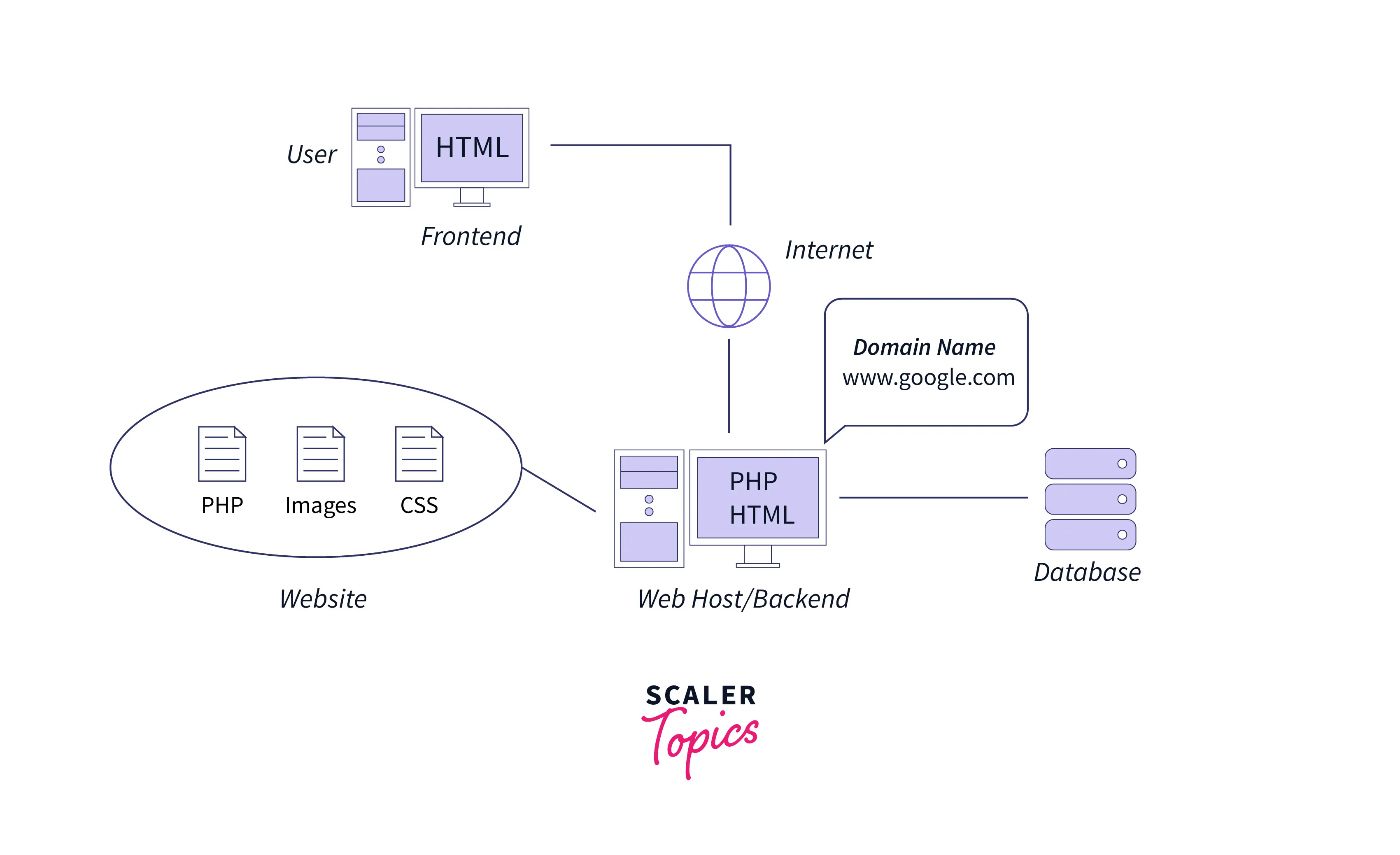
A server is just another computer on the internet that:
Stores data
Runs applications
Sends responses when asked
When you open a website, your computer asks a server for data, and the server responds.
Usually, your browser does this talking for you.
But developers often want to talk to servers directly.
That’s where cURL comes in.
What Is cURL? (In Very Simple Terms)
cURL is a tool that lets you send messages to a server from the terminal.
Think of it like:
A browser without buttons
A direct phone call to a server
Instead of clicking links, you type commands.
Why Programmers Need cURL
Programmers use cURL to:
Test APIs
Check if a server is working
Send and receive data
Debug backend issues
Work without a browser
👉 If you’re into backend, DevOps, APIs, or system debugging, cURL is a must-have skill.
Your First cURL Command (Fetching a Webpage)
Let’s start with the simplest possible command:
curl https://example.com
What just happened?
You sent a request to
example.comThe server responded with data
cURL printed that response in your terminal
That’s it. 🎉
You just talked to a server.
How cURL Works (Conceptually)
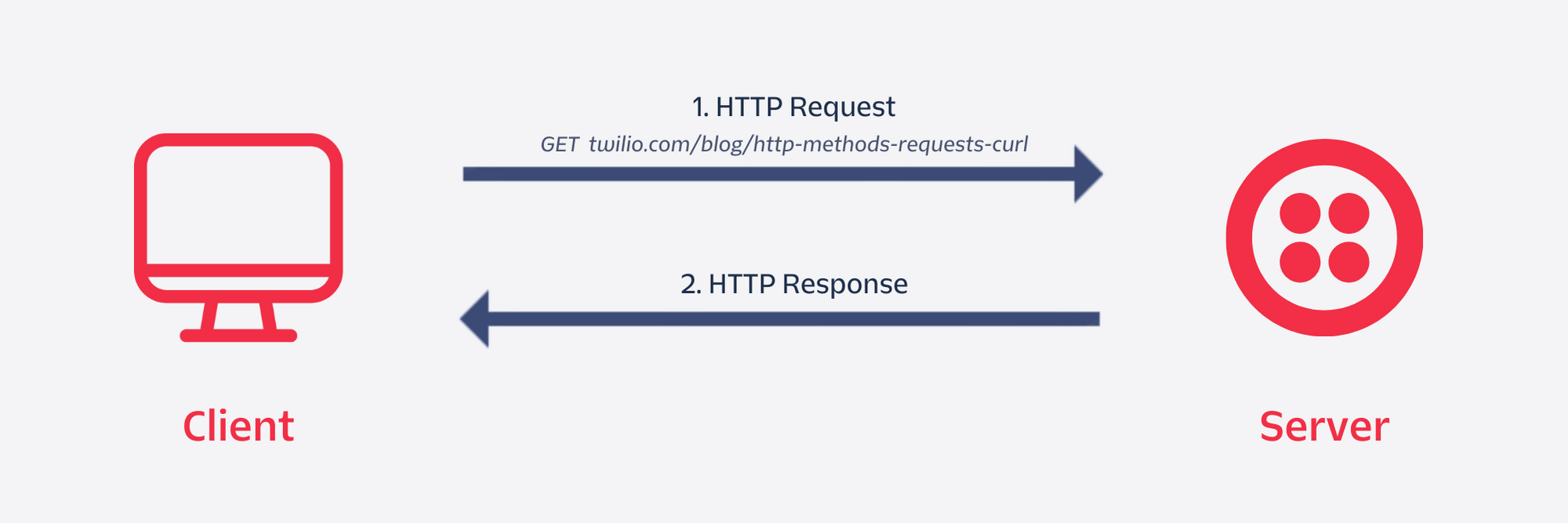


Flow:
cURL → Server → Response
cURL sends a request
Server processes it
Server sends back a response
cURL shows it to you
Understanding Request and Response (No Jargon)
Request (What You Send)
Where you want data from (URL)
What you want (GET or POST)
Response (What You Get)
Status (Did it work?)
Data (HTML, JSON, text, etc.)
Example response ideas:
200 OK→ Success ✅404→ Not found ❌500→ Server error ⚠️
Browser vs cURL (Conceptual Difference)

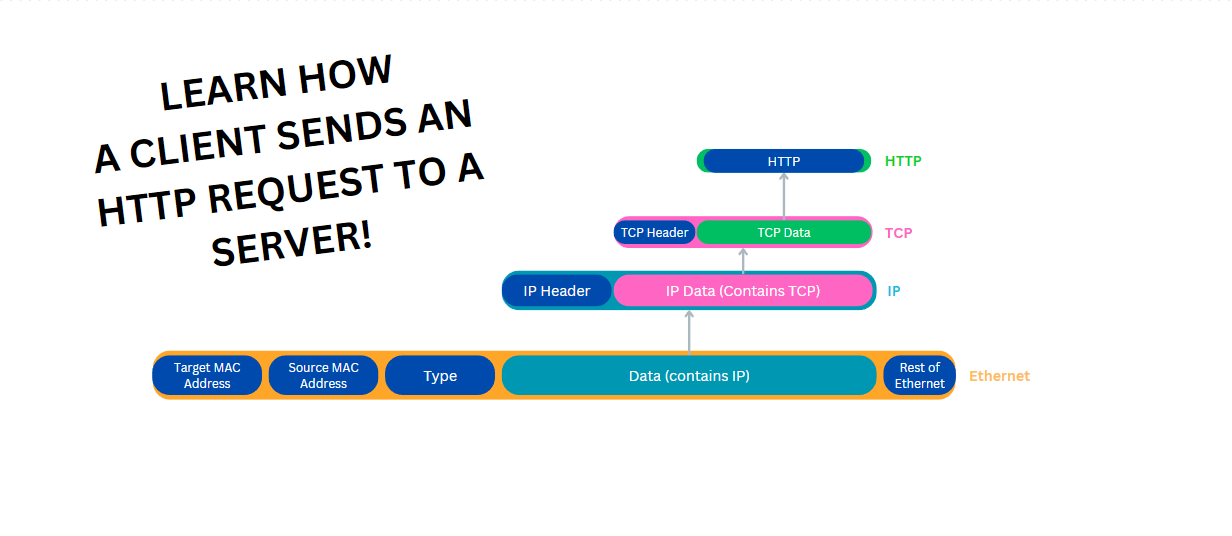
| Browser | cURL |
| Visual | Text-based |
| Automatic | Manual |
| For users | For developers |
| Hides details | Shows everything |
Browsers are friendly.
cURL is honest and raw.
Using cURL to Talk to APIs
APIs are servers that return data instead of web pages.
Example:
curl https://api.github.com
What you’ll see:
JSON data
Information meant for programs
Exactly what the API returns
This is how backend services talk to each other.
GET vs POST (Only What You Need Now)
GET → Asking for data
curl https://example.com/users
POST → Sending data
curl -X POST https://example.com/users
That’s enough for now.
You don’t need 20 flags to get started.
Common Mistakes Beginners Make
❌ Trying to learn all flags at once
❌ Copy-pasting complex commands without understanding
❌ Forgetting URLs need https://
❌ Panicking when seeing raw JSON
❌ Thinking cURL is “too low-level”
✅ Start simple.
✅ Build confidence first.
Where cURL Fits in Backend Development
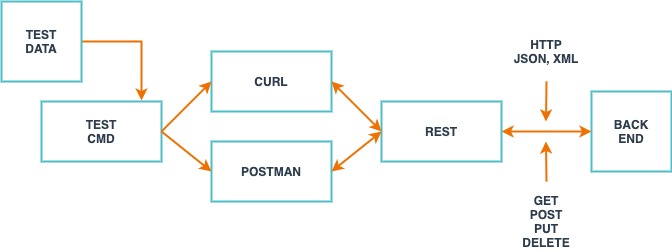
cURL is used for:
API testing
Service-to-service communication
Debugging production issues
Learning how HTTP actually works
If you understand cURL, APIs stop feeling magical.
Final Thoughts
cURL is not scary.
It’s just a direct conversation with a server.
Start with:
One URL
One request
One response
Everything else builds on that.
If you can type:
curl https://example.com
You’re officially talking to the internet. 🚀