DNS & dig Explained Simply — From Root to google.com
When you type google.com into a browser, a multi-layered distributed system quietly works behind the scenes to convert that name into an IP address.
This article breaks that journey down using the dig command — the best tool to see DNS in action.
What is DNS and Why Name Resolution Exists
DNS (Domain Name System) is the internet’s phonebook.
Humans remember names →
google.comComputers communicate using IP addresses →
142.250.x.x
DNS exists to:
Decouple human-friendly names from machine addresses
Allow IPs to change without breaking users
Scale name resolution across the entire internet
📌 DNS is distributed, hierarchical, and fault-tolerant by design.
What is the dig Command and When It Is Used
dig (Domain Information Groper) is a DNS inspection tool.
It is used to:
Debug DNS issues
Inspect NS, A, MX, TXT records
Understand where answers come from
Trace DNS resolution step by step
Think of dig as Wireshark for DNS logic.
DNS Resolution Happens in Layers
DNS works top-down:
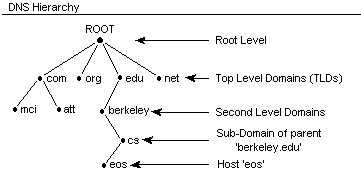
Root name servers
TLD name servers (
.com,.org)Authoritative name servers
Final answer (IP address)
Let’s walk through each layer using dig.
Understanding dig . NS — Root Name Servers
dig . NS
This asks:
“Who controls the root of DNS?”
You’ll see servers like:
What This Means
Root servers don’t know IPs
They only know which servers handle each TLD
There are 13 logical root servers, globally replicated

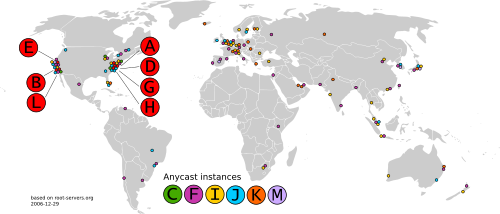
📌 Root servers are the starting point, not the answer.
Understanding dig com NS — TLD Name Servers
dig com NS
This asks:
“Who manages
.comdomains?”
You’ll see name servers operated by Verisign.
What This Means
.comservers don’t know google.com’s IPThey know who is authoritative for google.com
This layer enables massive scalability

📌 TLD servers act as delegators, not resolvers.
Understanding dig google.com NS — Authoritative Name Servers
dig google.com NS
This asks:
“Who has the final authority for google.com?”
You’ll see:
What This Means
These servers own the DNS records
They provide A, AAAA, MX, TXT records
This is the source of truth
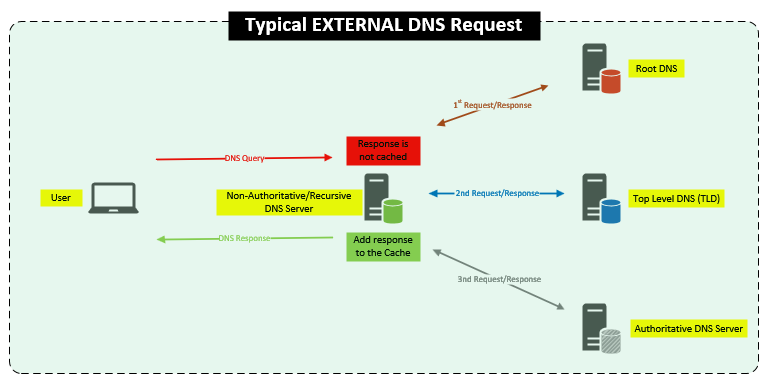
📌 Authoritative servers give final answers, not referrals.
Understanding dig google.com — Full DNS Resolution Flow
dig google.com
This returns:
A record (IPv4)
TTL values
Query time
DNS flags
What Actually Happened (Behind the Scenes)
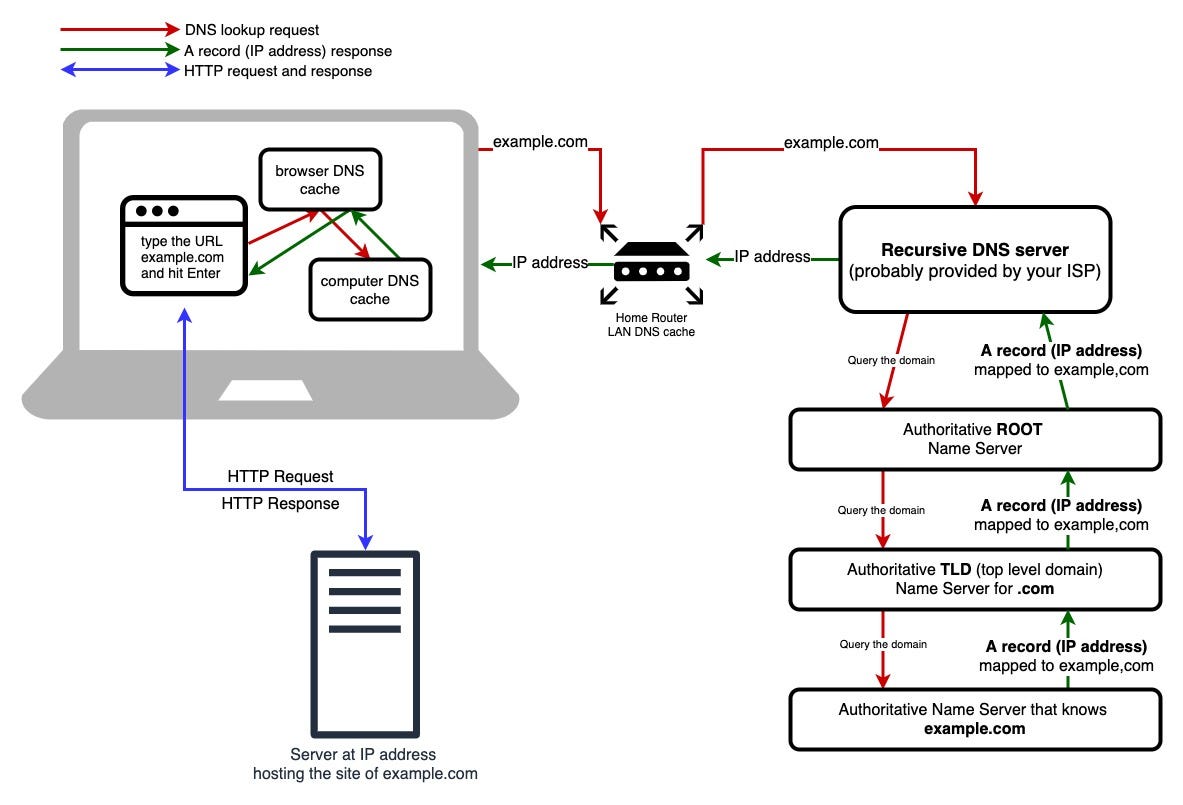
Your recursive resolver:
Queries root servers
Gets
.comname serversQueries TLD servers
Gets
google.comauthoritative serversQueries authoritative servers
Caches the result
Returns IP to browser

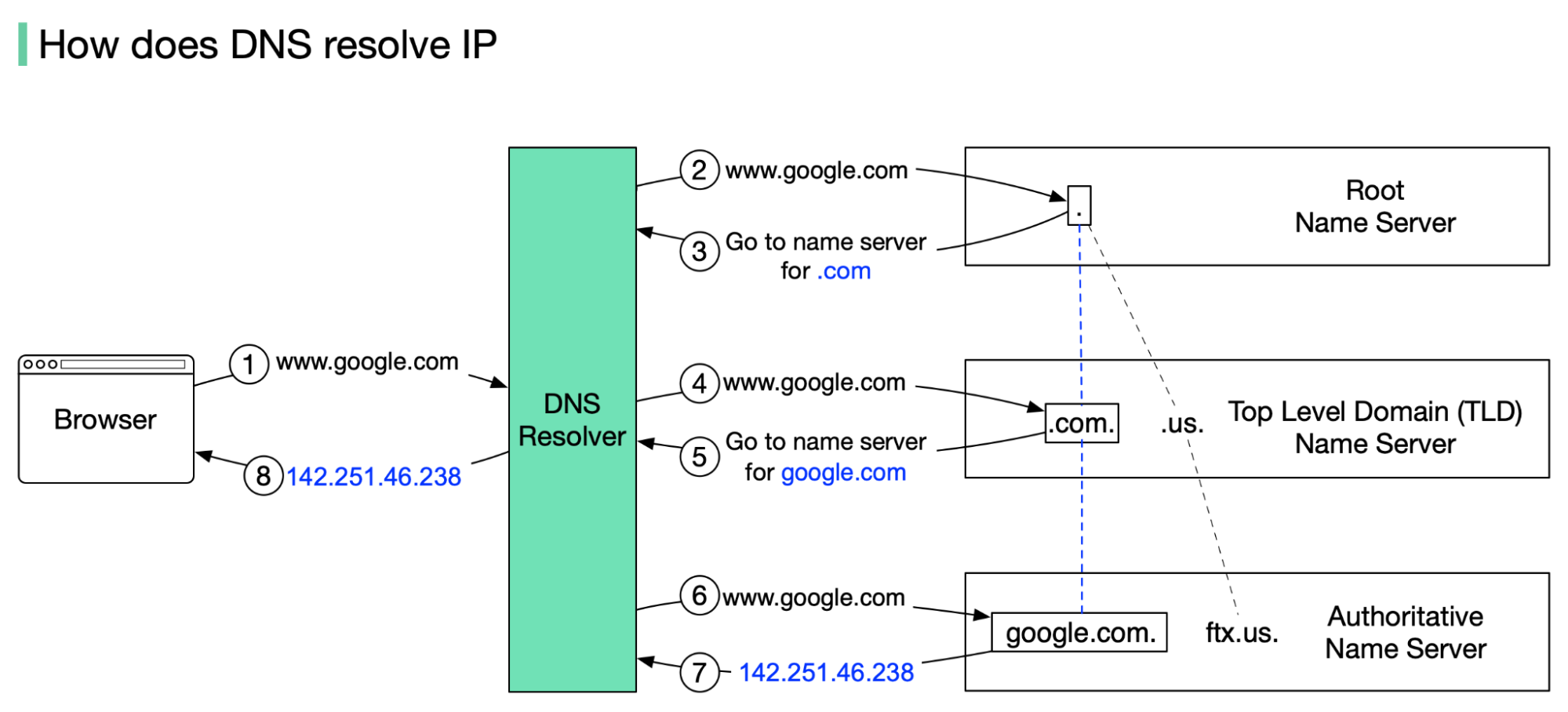
📌 dig google.com hides the complexity — but the hierarchy still applies.
What NS Records Represent (And Why They Matter)
NS (Name Server) records tell DNS:
Who is responsible for a domain
Where to forward queries next
They enable:
Delegation
Load balancing
Fault tolerance
Global scale DNS
Without NS records, DNS cannot function.
How Recursive Resolvers Use This Information
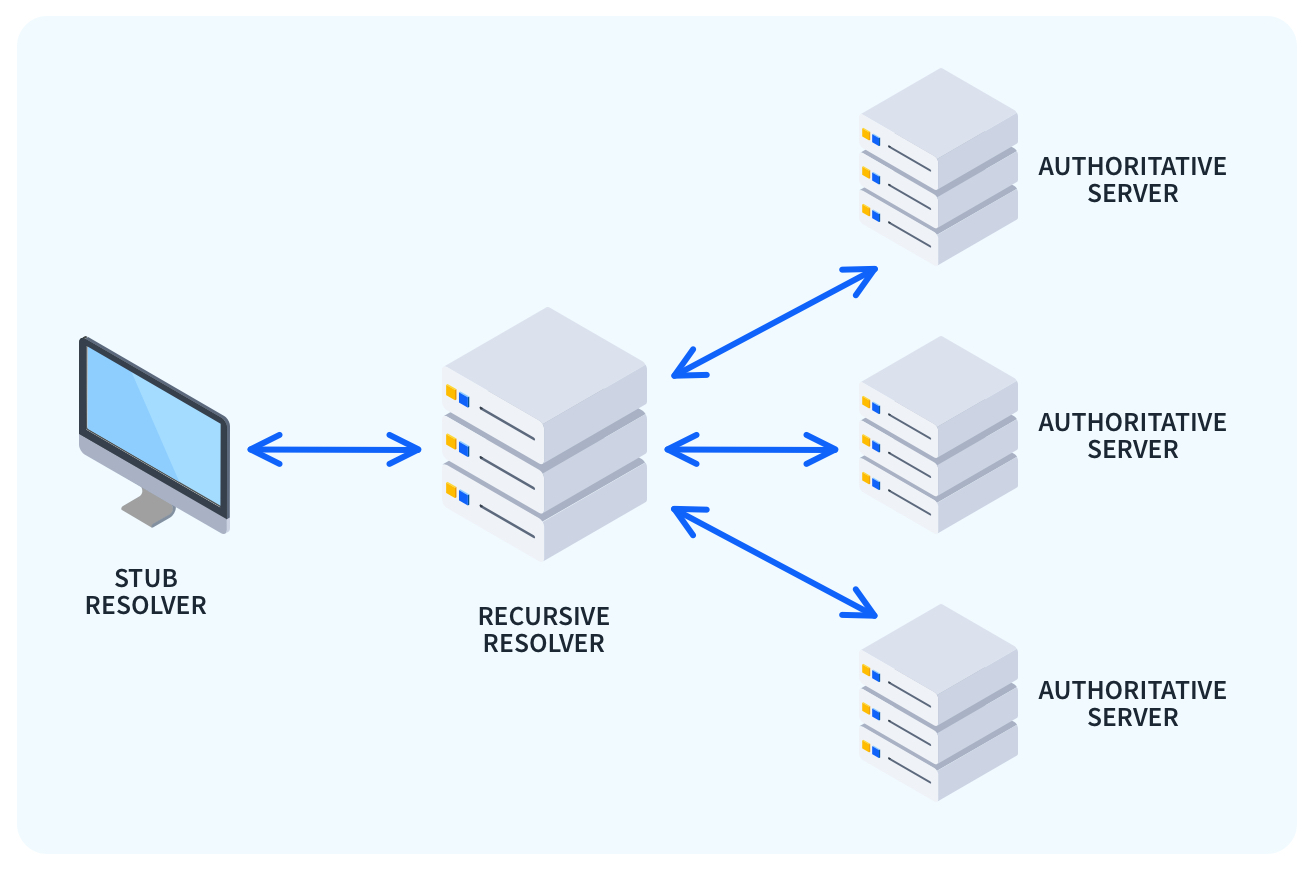
Recursive resolvers:
Perform lookups on your behalf
Cache responses to reduce latency
Respect TTL values
Protect users from querying roots every time
📌 Your browser never talks to root servers directly — resolvers do.
Connecting dig Output to Browser Requests
When you type:
https://google.com
Your browser:
Resolves DNS → gets IP
Opens TCP connection
Negotiates TLS
Sends HTTP request
📌 DNS is always the first network dependency.
Mental Model Summary
| Layer | Command | Responsibility |
| Root | dig . NS | Points to TLDs |
| TLD | dig com NS | Points to domains |
| Authoritative | dig google.com NS | Owns records |
| Final Answer | dig google.com | Returns IP |
Why This Matters in System Design
Understanding DNS helps you:
Design high-availability systems
Debug production outages
Optimize latency
Understand CDN behavior
Architect global services
DNS is not “just networking” — it’s core infrastructure logic.