Git for Beginners: Basics and Essential Commands
What is Git?
Git is a distributed version control system.
In simple words:
It helps you track changes in your code
Lets you go back in time if something breaks
Makes collaboration easy with other developers
Every developer has a full copy of the project and its history on their own machine.
Why is Git Used?
Git solves very real developer problems:
✅ Keeps history of every change
✅ Helps undo mistakes safely
✅ Allows multiple people to work together
✅ Tracks who changed what and why
✅ Makes experimentation safe using branches
Without Git → chaos
With Git → control 😄
Git Basics & Core Terminologies
Let’s break the scary words into simple ideas.
Repository (Repo)
A repository is a folder tracked by Git.
It contains:
Your project files
Git’s history and metadata
Commit
A commit is a snapshot of your project at a moment in time.
Think of it like:
“Save point in a game 🎮”
Each commit has:
A unique ID
A message describing the change
Branch
A branch is an independent line of development.
main→ stable codeother branches → experiments, features, fixes
Branches let you work without breaking the main code.
HEAD
HEAD points to:
Your current branch
Your latest commit
It tells Git: “This is where I am right now.”
Git Workflow (Big Picture)
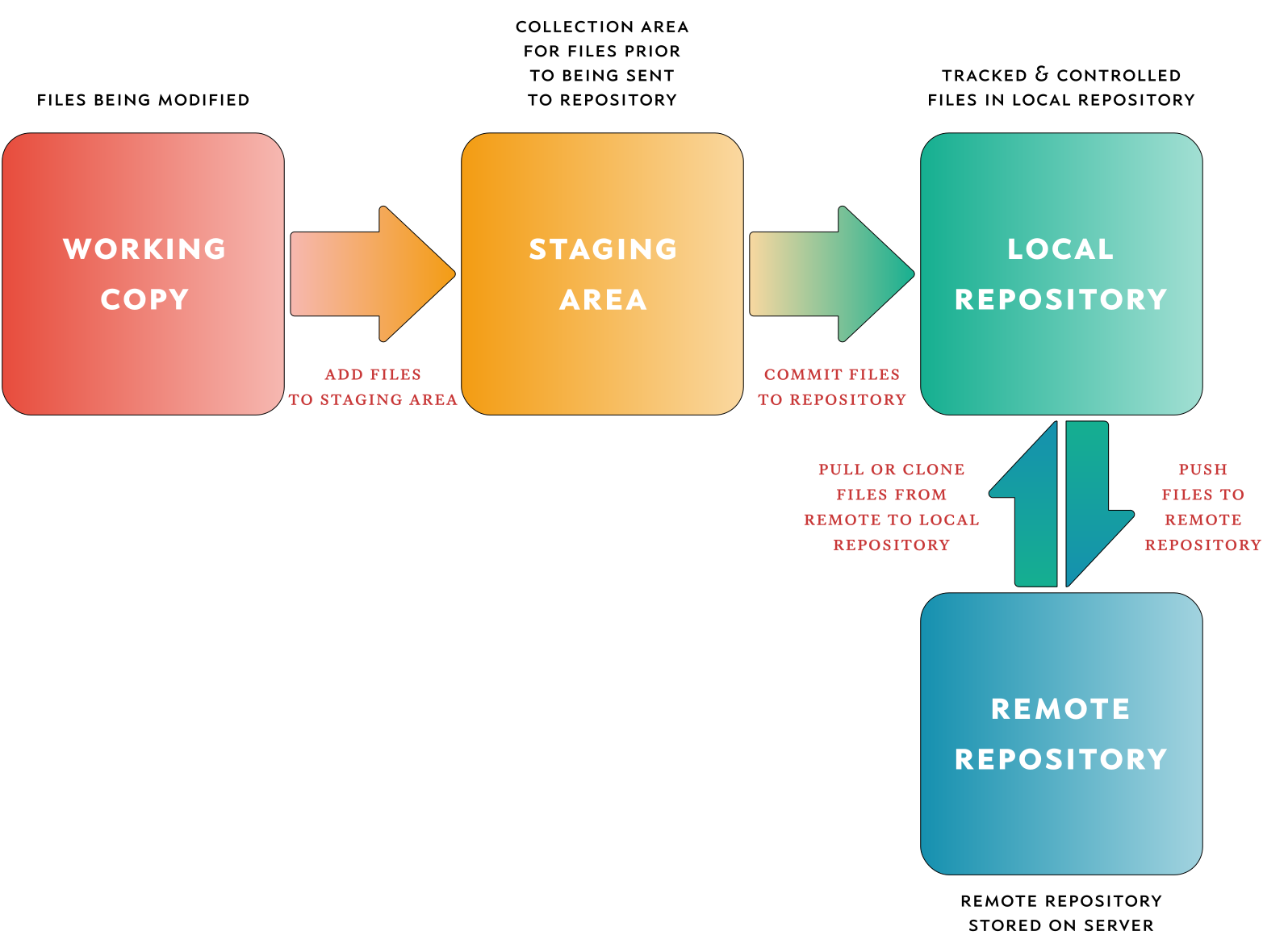
This is how Git actually works behind the scenes:
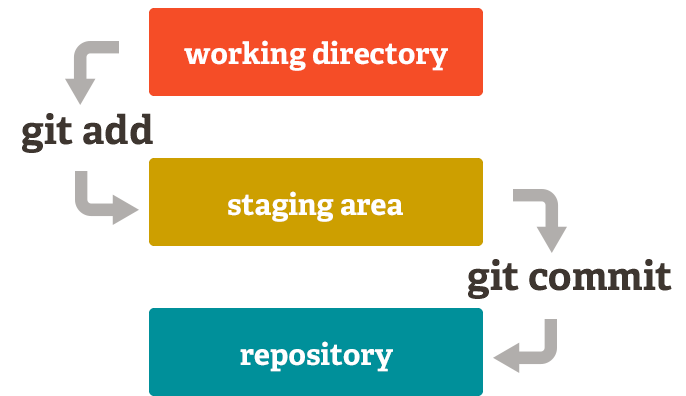
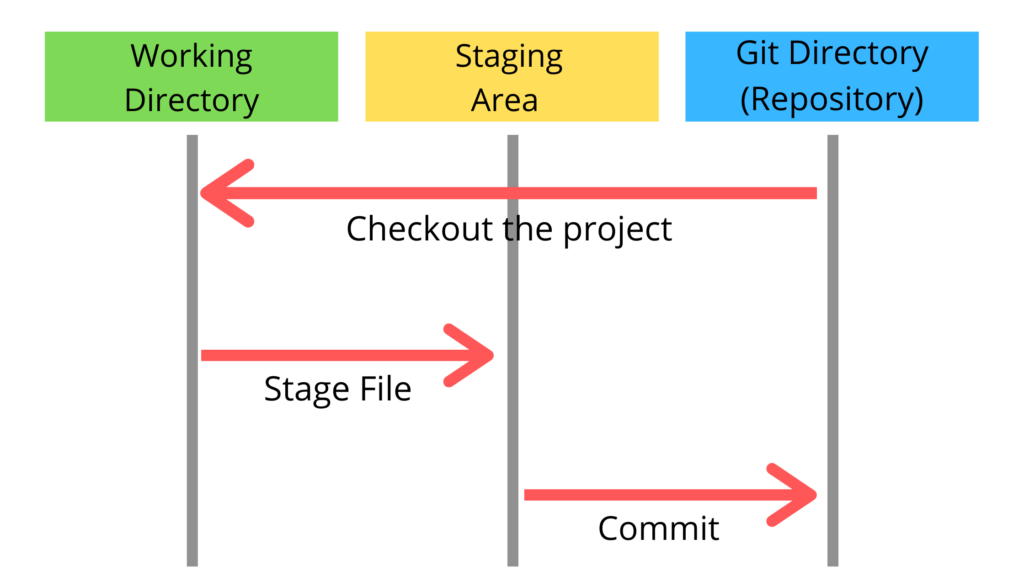
Three Areas:
Working Directory → where you edit files
Staging Area → files ready to be committed
Repository → saved history (commits)
Common Git Commands (You’ll Use These Daily)
Initialize a Repository
git init
Creates a new Git repository in the current folder.
Check Repository Status
git status
Shows:
Modified files
Staged files
Untracked files
Add Files to Staging Area
git add filename
or add everything:
git add .
Commit Changes
git commit -m "Initial project setup"
Saves changes permanently to history.
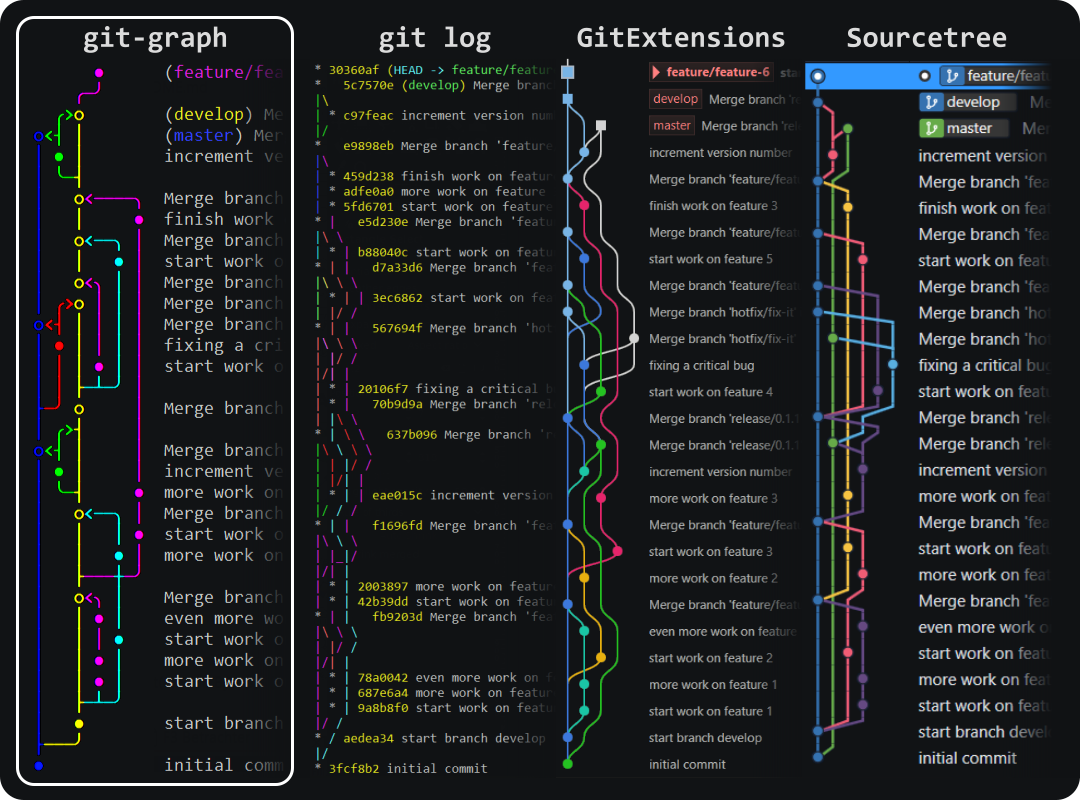
View Commit History
git log
Shows:
Commit IDs
Author
Date
Commit messages

Basic Developer Workflow (From Scratch)
Here’s how a beginner actually uses Git 👇
Create a project folder
Initialize Git
git initCreate or edit files
Check status
git statusStage changes
git add .Commit changes
git commit -m "Add initial files"Repeat steps 3–6 as you build features
Local Repository Structure (Conceptual)
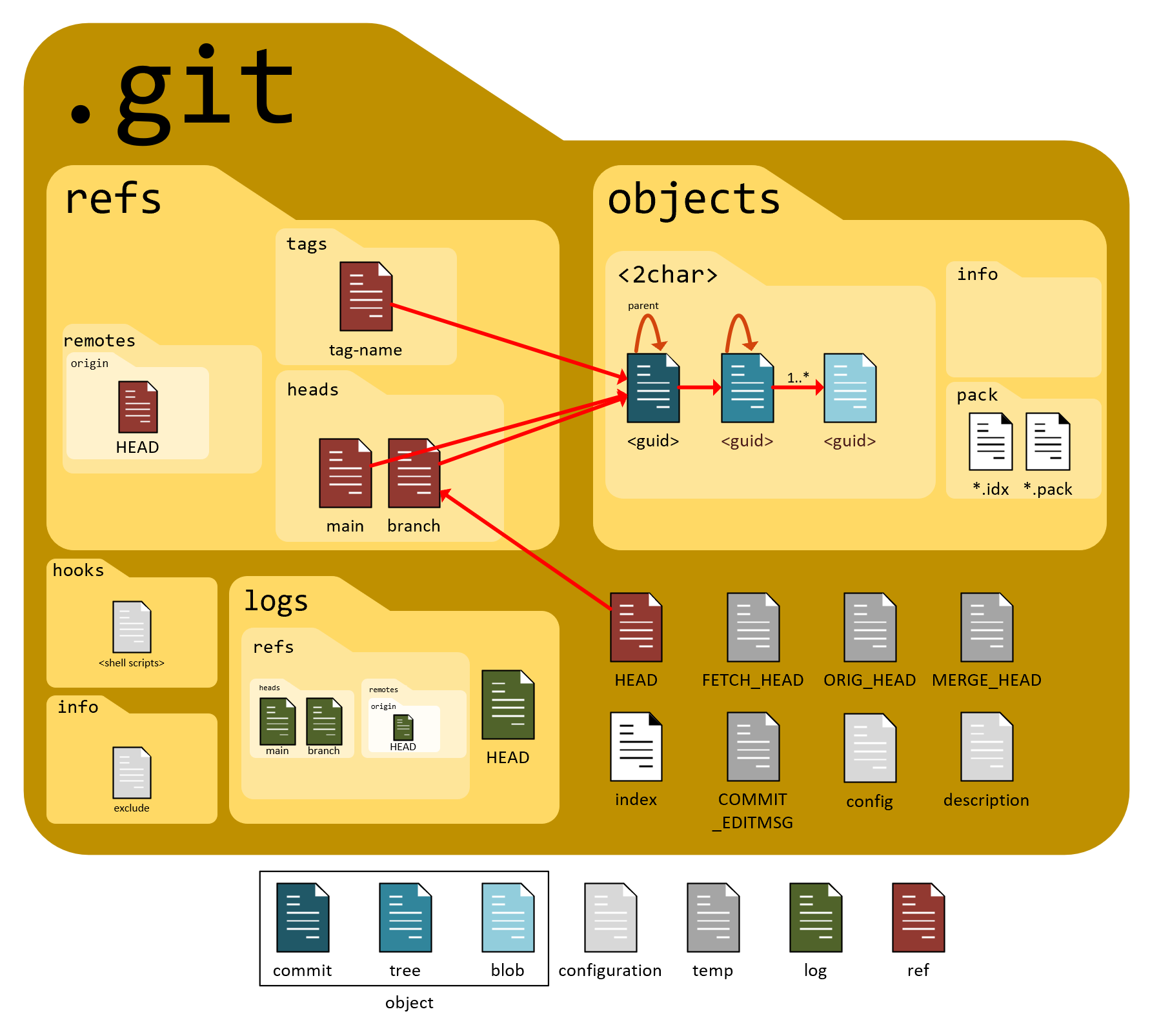
.git/→ Git’s brain 🧠Contains commits, branches, logs, and history
Never edit
.gitmanually