Inside Git: How It Works and the Role of the .git Folder
How Git Works Internally
Most people use Git daily but don’t know what actually happens inside Git.
This short guide builds a clear mental model — no command memorization.
What Is the .git Folder?
Created when you run
git initThis folder is the Git repository
Stores:
History
Commits
Branches
Staging area
All Git data
👉 Delete .git = Git is gone
Inside the .git Folder (High Level)
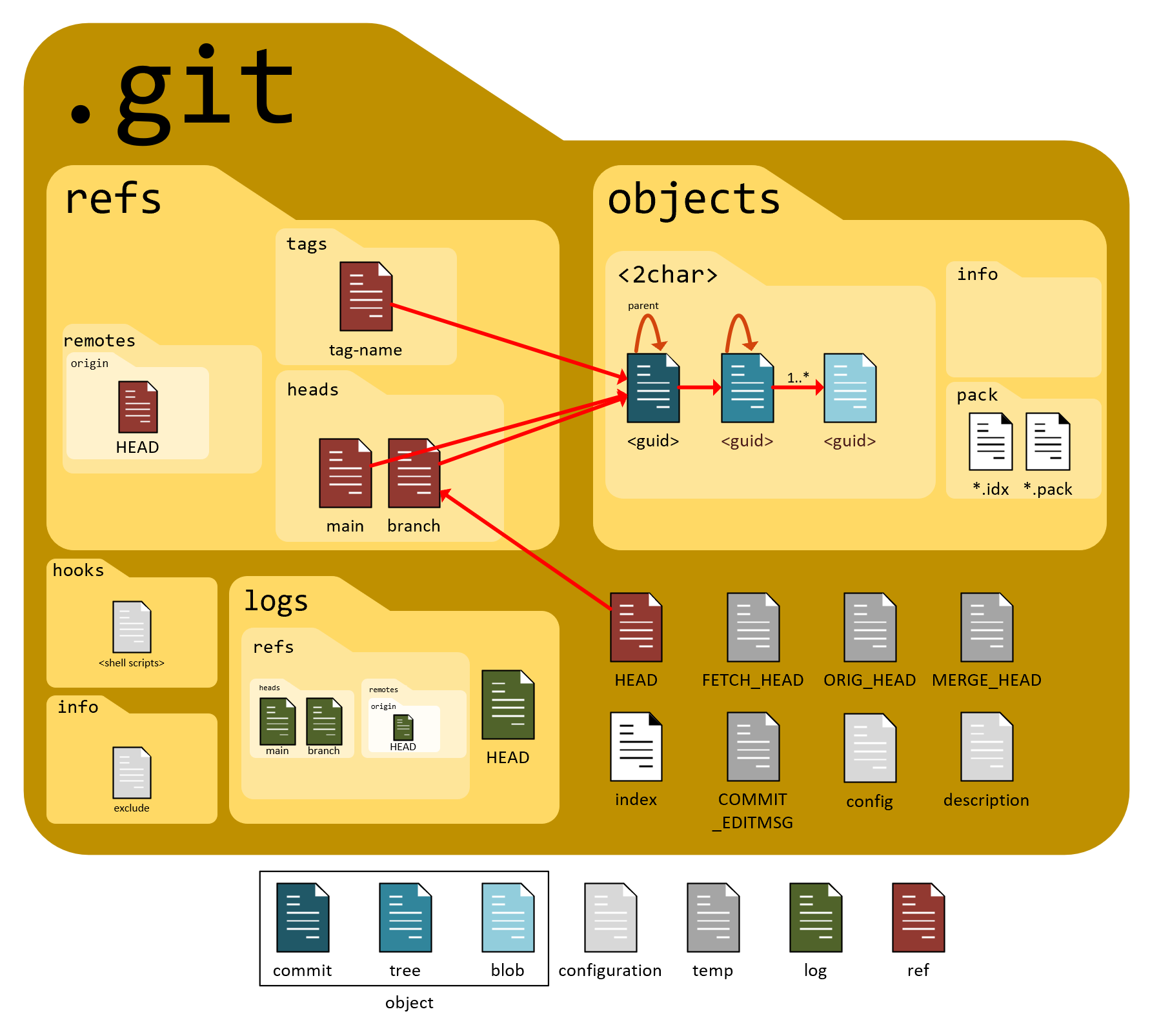
Key parts only:
objects/→ All data (files, commits)index→ Staging arearefs/→ Branch pointersHEAD→ Current branch
Think of .git as Git’s internal database.
Git Stores Data Using Hashes
Git tracks content, not files
Uses SHA-1 hash
Same content → same hash
Small change → new hash
✅ Ensures data integrity
✅ Makes Git fast and reliable
Git Objects (Core Idea)
Git stores everything as objects.
1️⃣ Blob (File Content)
Stores file data only
No filename
No folder info
2️⃣ Tree (Folder Structure)
Stores filenames
Connects files (blobs) & folders (trees)
3️⃣ Commit (Snapshot)
Points to one tree
Stores message, author, time
Links to previous commit
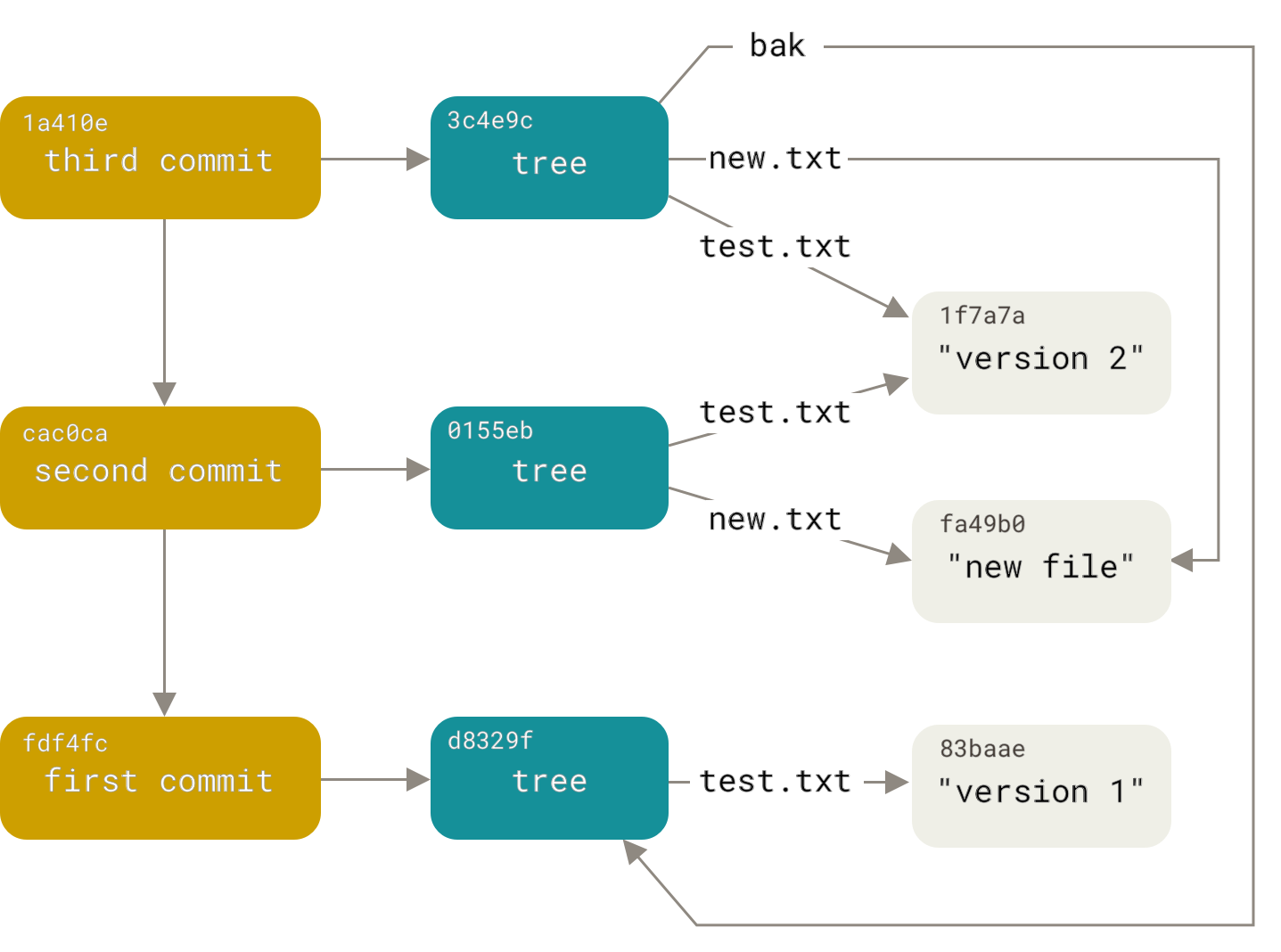
Commit–Tree–Blob Relationship
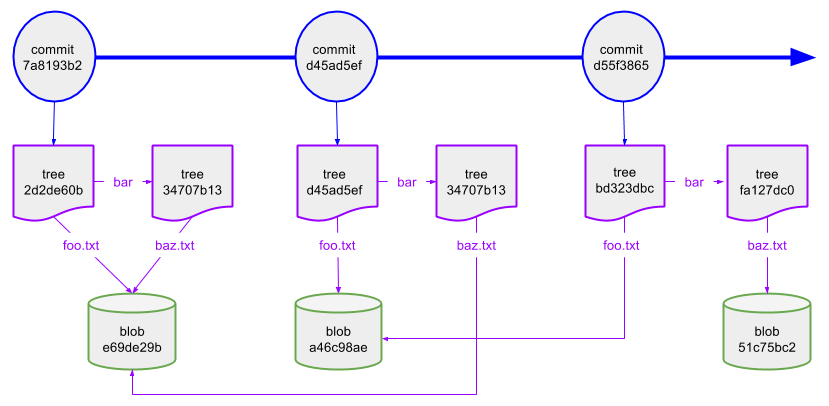
Commit → Tree → Blob
Commit = snapshot
Tree = structure
Blob = content
How Git Tracks Changes
Git does not store diffs
Each commit is a snapshot
Unchanged files reuse the same blob
💡 Saves space without duplicating data
What Happens During git add
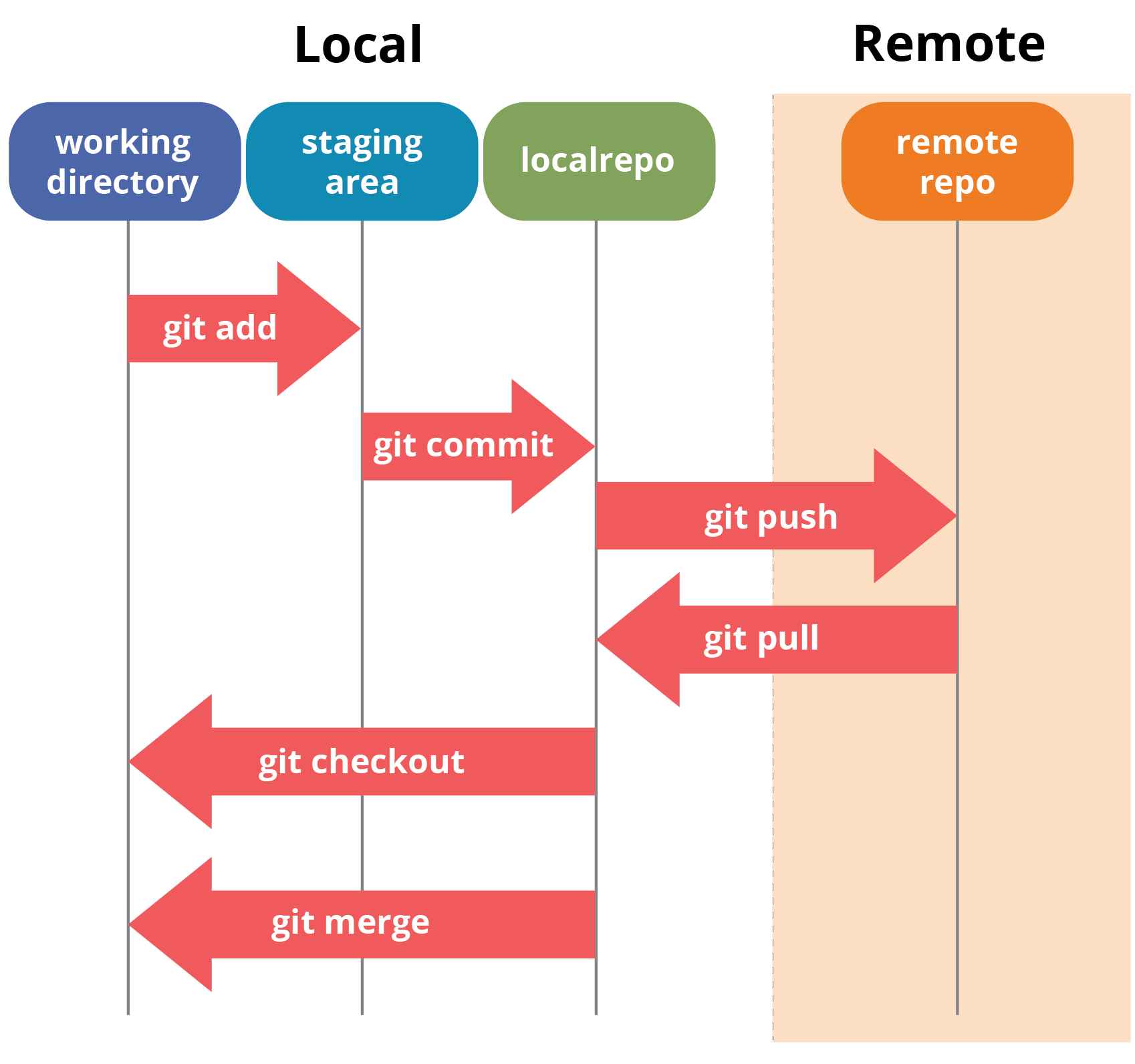
Reads file content
Creates a blob
Stores it in
.git/objectsUpdates the index (staging area)
👉 No commit yet
What Happens During git commit
Reads staging area
Creates a tree
Creates a commit object
Moves branch pointer forward
👉 Snapshot is now permanent
Branches & HEAD (One-Line Model)
Branch = pointer to commit
HEAD = pointer to branch
Commits don’t move, pointers do
Final Mental Model (Remember This)
Git = snapshot system
.git= real repositoryEverything = hash
Commits → Trees → Blobs
Branches = labels