Understanding HTML Tags and Elements
Published
•2 min readHTML Basics
What is HTML and Why Do We Use It?
HTML (HyperText Markup Language) is the skeleton of a webpage.
It defines what content exists on a page — headings, text, images, buttons — not how it looks.
🦴 HTML = structure
🎨 CSS = design
🧠 JavaScript = behavior
What is an HTML Tag?
An HTML tag is like a label that tells the browser what kind of content this is.
Example:
<p>Hello World</p>
Here:
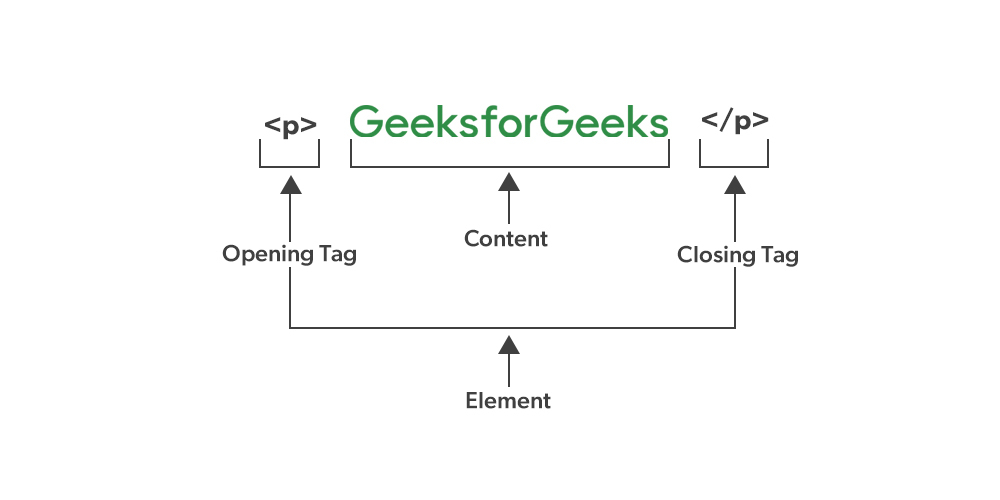
<p>→ opening tag</p>→ closing tag
Opening Tag, Closing Tag & Content
Think of HTML like a sentence in a box 📦
<p>HTML is easy</p>
<p>→ startHTML is easy→ content</p>→ end
What is an HTML Element?
👉 Tag ≠ Element
An HTML element includes:
Opening tag
Content
Closing tag
<p>Learn HTML</p>
✔️ This entire line is an HTML element

Self-Closing (Void) Elements
Some elements don’t need a closing tag.
Examples:
<br>
<img>
<hr>
They either insert something or break the layout.
Block-Level vs Inline Elements
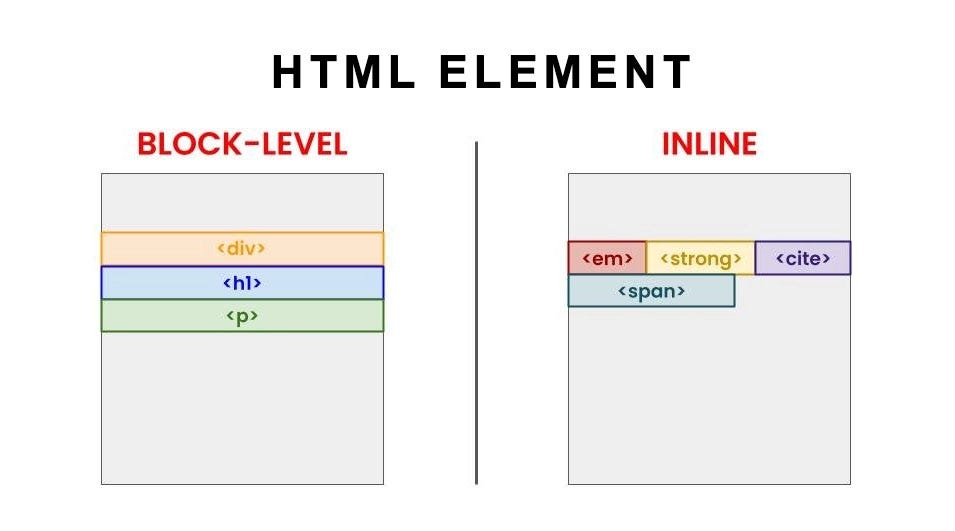
Block-Level Elements
Take full width
Start on a new line
Examples:
<h1>
<p>
<div>
Inline Elements
Take only required space
Stay in the same line
Examples:
<span>
<a>
<strong>
Commonly Used HTML Tags (Start Here)
| Tag | Purpose |
<h1> | Main heading |
<p> | Paragraph |
<div> | Group content |
<span> | Inline text |
<img> | Image |
<a> | Link |
<br> | Line break |
Simple Example Page
<h1>Welcome</h1>
<p>This is my first webpage</p>
<span>HTML is fun</span>